
SNGPL and SSGC Bill Check App
Don’t know how to use the SSGC bill check app and the Sngpl connect app? Don’t worry, check all the amazing features of both apps, and how to use them, follow the complete screenshot guidelines, and download with a single click. Comparison between the features of apps is given for your better understanding. Now, easily check your sui gas bill online.
SSGC bill check app Guide
SSGC bill check app helps consumers to check bills, view bills, and provides multiple features.
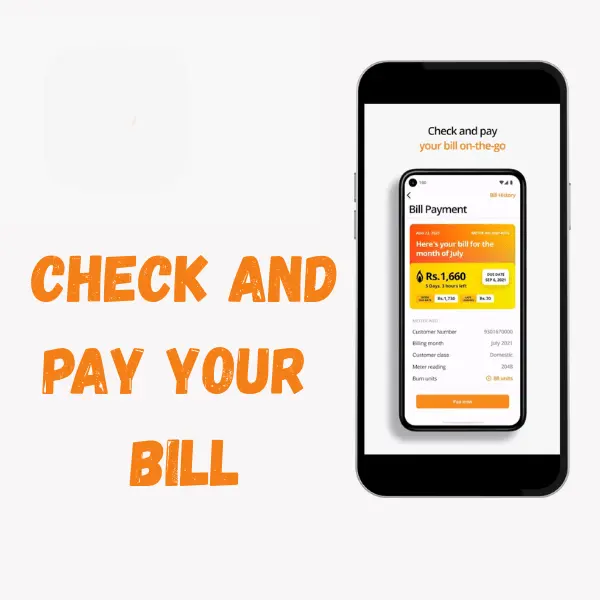
- Bill payment
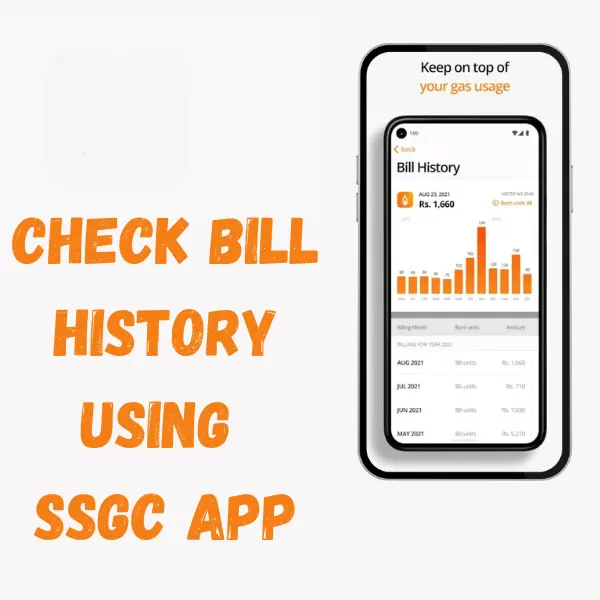
- Bill history
- Apply for a new gas connection
- complaint
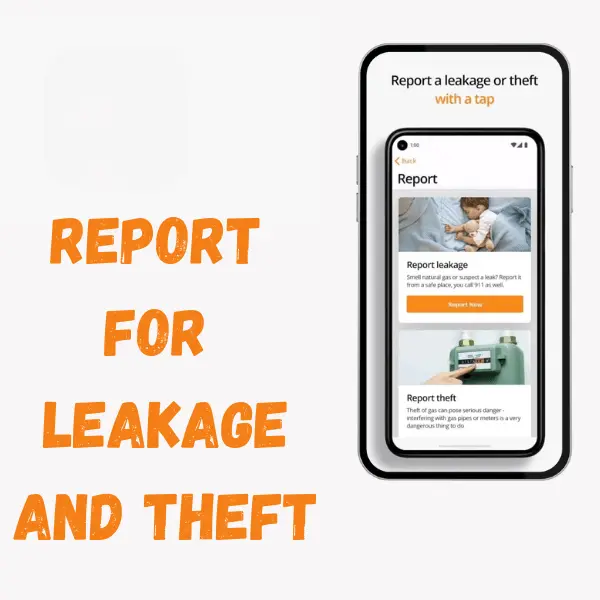
- Report for leakage
Download the SSGC bill check app from the Play Store.
Comparison between SNGPL AND SSGC App
| APPS | SSGC | SNGPL |
| NAME | SSGC customer connect | SNGPL mobile app |
| Sui gas online bill check | YES | YES |
| New connection tracking | YES Available | YES Available |
| Online bill payment | Yes, through a third party | Limited, Banks’ apps are more commonly used for payment |
| Customer Support | Embedded, but it depends on the version | Not Embedded |
| Push Notification | NO | YES |
| Bill Download | YES | YES |
| Payment History | Yes | NO |
Screenshot provides help on how to use the different features of the app

If you want to apply for a new gas connection, this option is also available in the app and allows you to report leakage of gas and theft.

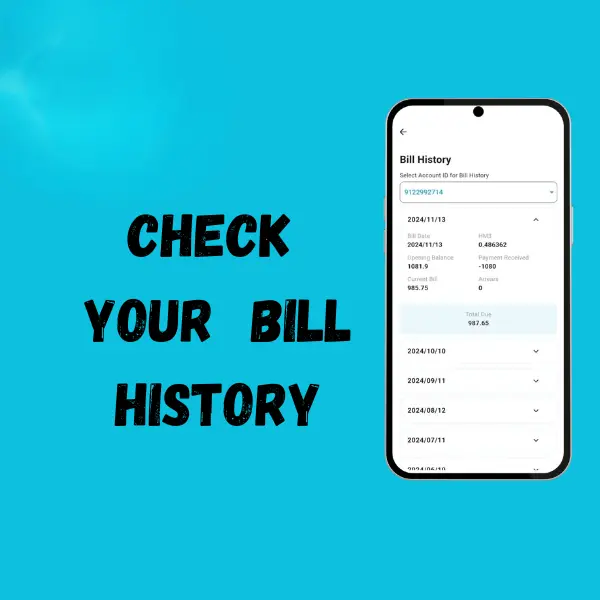
Check the options for bill payment and bill history.
SNGPL App FeaturesThe
The SNGPL App is used to download a duplicate bill. The following are the features of SNGPL.
- New connection
- pay bill
- Bill tariff
- Bill history
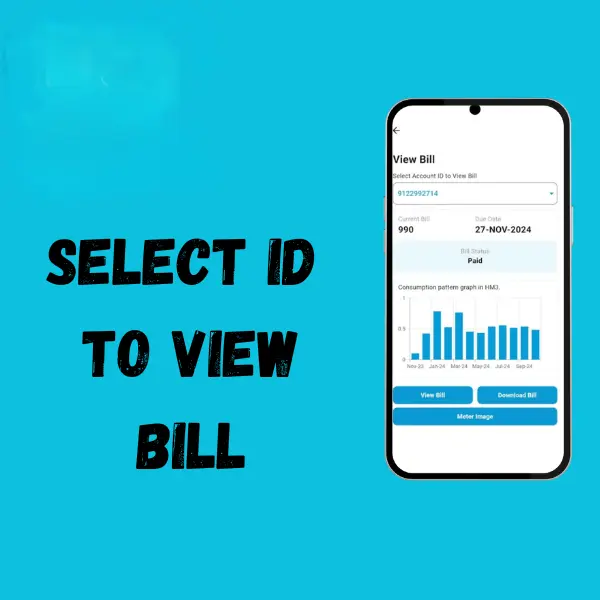
- View bill
You can see more features in the screenshot, and by downloading the app, after logging in, the interface shows you. Download the SNGPL app from the Play Store. Check the SNGPL bill details by using it.
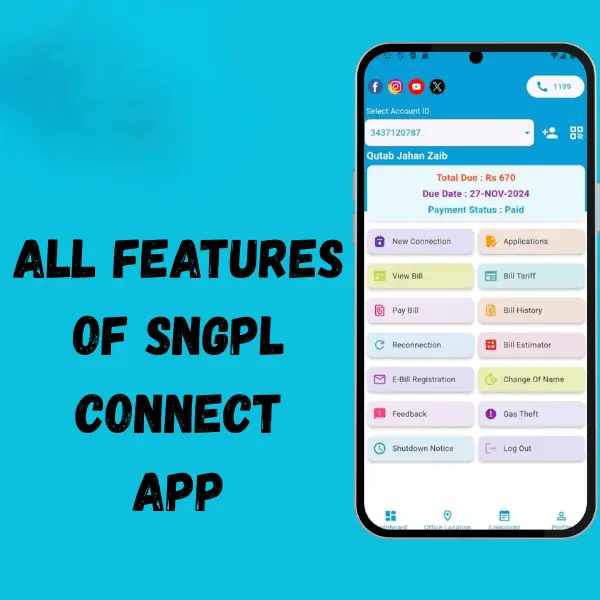
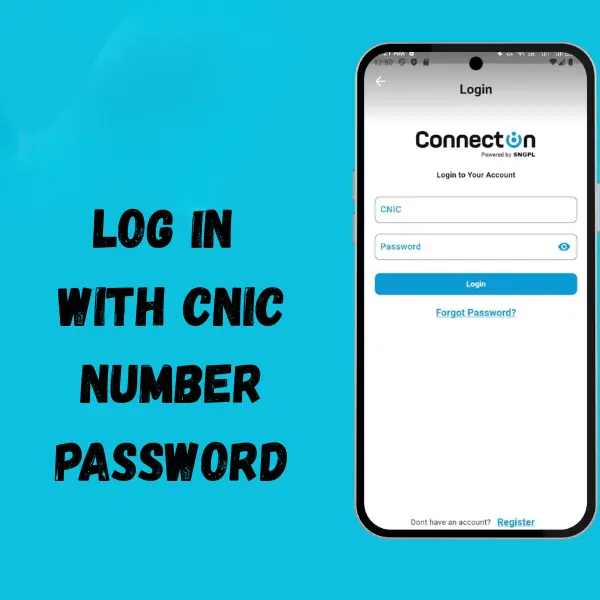
Enter or select your account ID to view your bill and bill history.
Why This App is Helpful
Every month the same story: you have to check your gas bill, but the website is either too slow or doesn’t open at all. Sometimes you only remember when the due date is very close, and then you rush to pay. It’s annoying. This app is made to solve that. You just open it, and your bill shows up. Quick and simple.
Easy to Get Started
You don’t have to set up a lot of things. Just put your reference number once, and the app remembers it for you. From then on, whenever you open the app, your bill is already there. No typing again and again, no searching links every month.
Fast Access Anytime
Websites can get stuck, especially when everyone is checking bills at the same time. With this app, you don’t need to wait. It loads in seconds. Even if you’re busy at work, sitting at home, or out with friends, you can check your bill on the go.
Keeps You Updated
The app helps you stay on track with due dates. If you forget to check, you could end up paying late fees. When you have this bill check app, you always know the last date to pay. You can also see old bills, so it’s easier to compare and understand how much your usage changes from month to month.
Simple for Everyone
This isn’t made for “tech people” only. Anyone can use it—students, shop owners, families, or even someone who doesn’t know much about phones. The design is clean and easy, so you won’t get confused
A Small Helper in Daily Life
Think about this: you’re about to go to sleep and suddenly remember, “Did I check the bill this month?” Instead of stressing, you open the app, see the amount in a few seconds, and relax.
Once you start using it, you’ll see it saves your time and effort. No need to stand in lines, no more slow websites, and no more surprises on the last day. Just open, check, and move on with your day.
All screenshots of the SNGPL, SSGC app are used for informational purposes, and they are the property of only their Respective owners.